
The integration design environment, with an AI assistant that does the heavy lifting
It guides a system administrator through connecting sources, generating a unified schema, syncing data and querying the result, without writing transformation code. The assistant narrates its actions and asks for clarification whenever it hits ambiguity, rather than guessing.
Connect and verify in one step
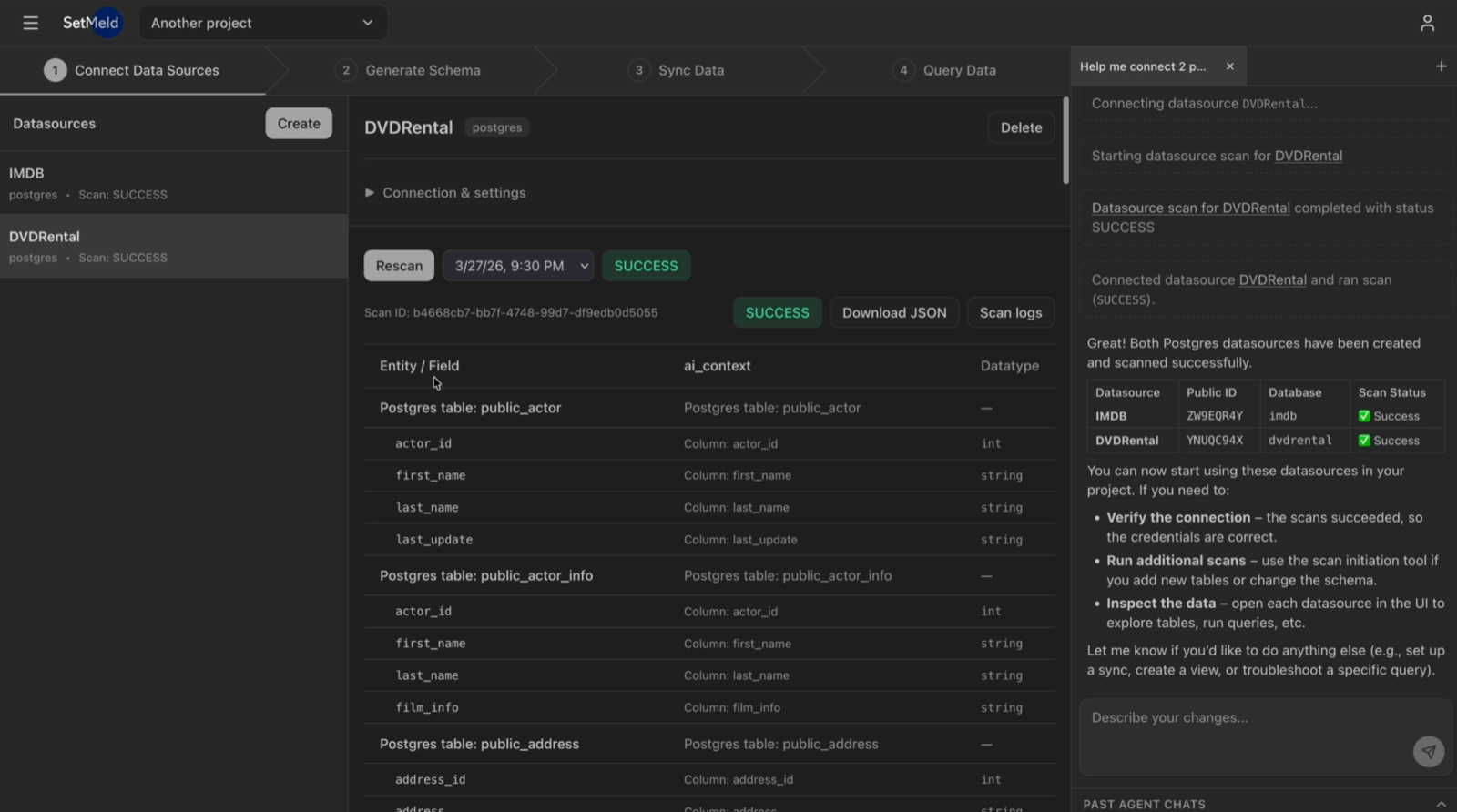
Administrators provide credentials for any structured dataset through a guided connection flow. If a connection fails, the assistant diagnoses the problem and coaches the user through resolving it, whether the cause is a network restriction, a permissions gap or a misconfigured credential.
- Scanning is the test. A scan exercises the same access paths the SetMeld Pipeline will later use, so a green scan is a genuine end-to-end proof that extraction will work.
- An enriched AI context. Every entity, field and datatype is described, with its inferred meaning recorded alongside it.
- Teach it your vocabulary. Upload data dictionaries, schema notes and internal wikis alongside each source.
Transformations designed for you
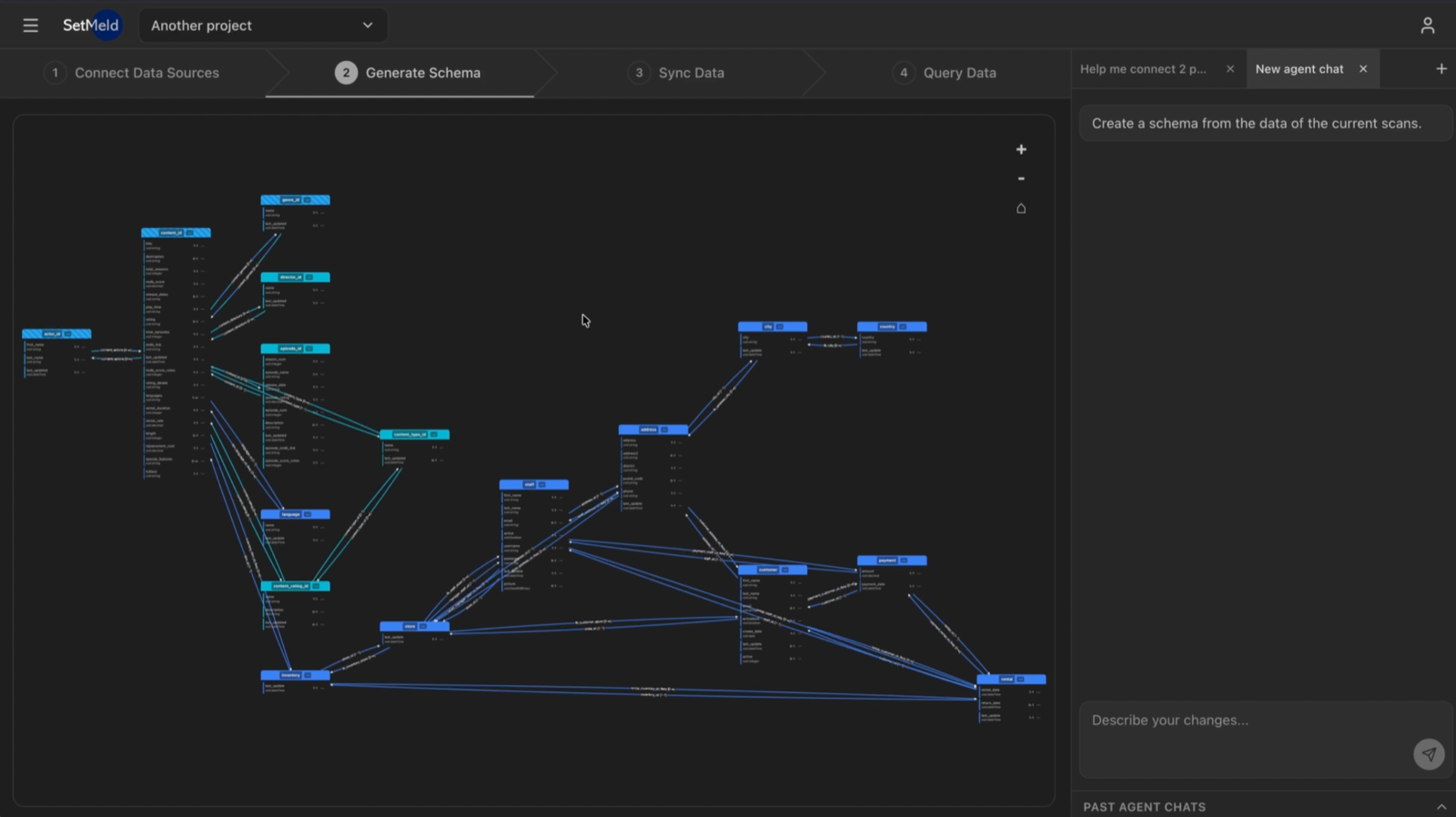
The AI context gathered during scanning is fed into SetMeld’s AI pipeline, which determines the exact ontology and schema needed to unify the connected sources into a single coherent model. Entities that appear in multiple systems under different names and structures are identified and aligned; relationships across sources are made explicit.
- Data quality inspected in the same pass. Inconsistent formats, duplicate records, orphaned references and conflicting values are found while the mapping is designed.
- Fixed where possible, reported where not. Problems that cannot be corrected automatically are surfaced with potential workarounds, so nothing is silently ignored.
- Entity resolution is part of the design. SetMeld Composer decides how records from different sources are recognized as the same real-world thing.
Run it, then ask it a question
When the design is approved, configurations are pushed to SetMeld Pipeline and you watch it work. The output of the design stage is a complete, inspectable set of artifacts: extraction plans, transformation logic, entity resolution rules and load specifications.
- Nothing runs unreviewed. Your team approves the design before a single row moves.
- Live logs. Each extraction query, transformation and load operation, with the time it took.
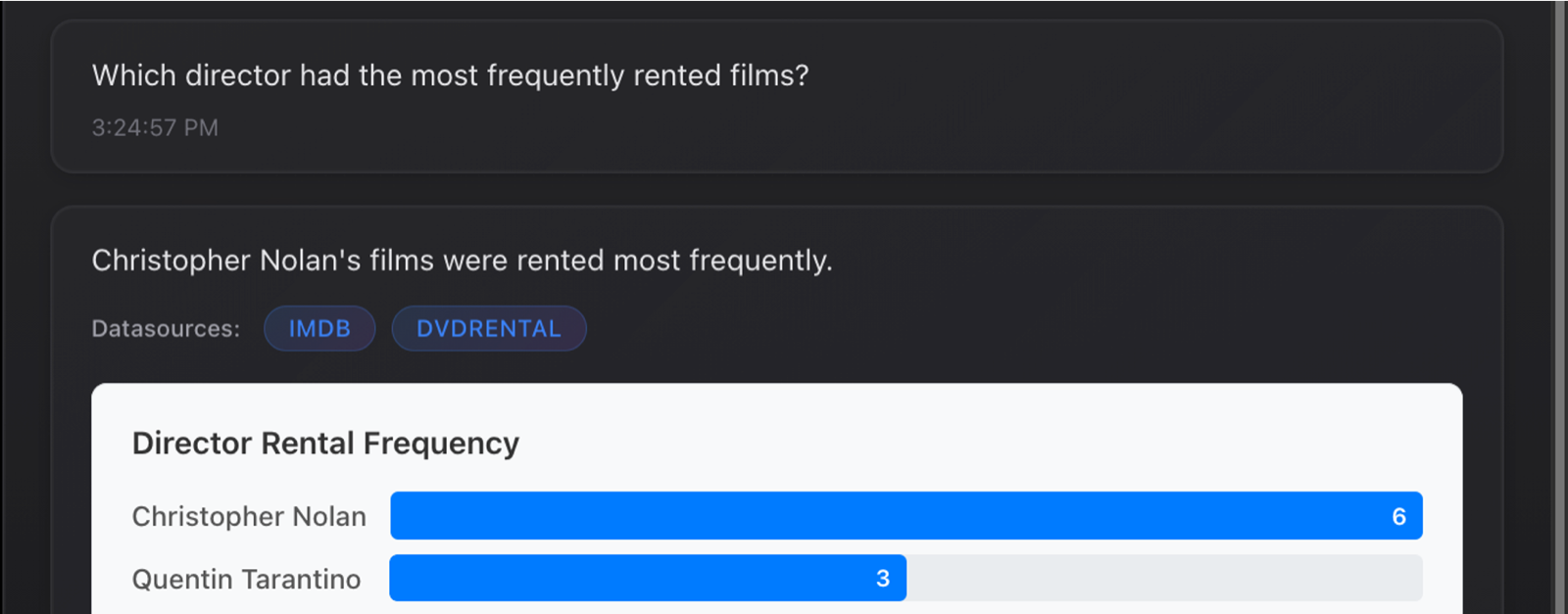
- Immediate payoff. Ask a natural-language question and get an answer spanning every connected system, with datasource attribution.
How the assistant behaves
An AI that quietly guesses at your schema is worse than no AI at all. SetMeld Composer’s assistant is built to be interrupted, questioned and overruled.
Narrates each action
Every action is described as it happens: which source it is connecting to, what it found, what it inferred and why.
Asks when a mapping is ambiguous
When a mapping is genuinely ambiguous, the assistant stops and asks the person who knows the answer instead of picking one.
Produces reviewable artifacts
Schemas, transformations and entity resolution rules are artifacts you can read, review and version.
See SetMeld Composer scan your systems
Bring two databases and a question they cannot answer separately.